Home >Blog

How to Build Your Own 9-Grid Game Template Step by Step

Published Updated

What a 9-grid game template actually is

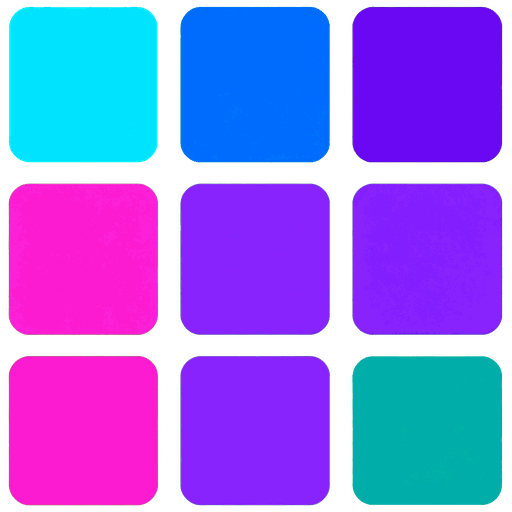
A 9-grid is just a 3×3 square of images — nine slots, one image each, edges touching or with a thin gap between them. It became a whole genre on social media because it reads instantly: nine games, one picture, zero scrolling. You've probably seen them in "my top 9" posts and year-end roundups. The layout is simple enough that you don't need Photoshop to build one; a grid tool or even a spreadsheet-style approach works.

Illustration related to the article topic

The workflow below takes you from raw images to a finished, share-ready square. If you'd rather skip the manual steps, a dedicated maker like 9GameGrid does the whole thing in one upload.

Step 1. Gather nine images that actually fit together

Consistency matters more than resolution. Pick nine images with a similar aspect ratio — squares work best — and a similar visual weight (all dark, all bright, all game covers, whatever). Mixing a 4:3 screenshot with a 1:1 cover in the same grid will leave awkward empty space. Crop everything to square before you start; you'll thank yourself later.

Step 2. Decide the gap size before arranging

This is the single biggest style decision. A zero-gap grid merges into one continuous image. A 4–8 pixel gap reads as nine distinct cards. There's no wrong answer — it changes the mood. If you're not sure, run one version of each and compare them side by side. The gap also determines the exact dimensions of each cell, so settle it now.

Step 3. Arrange the images in reading order

People scan a 3×3 grid top-left to bottom-right, like reading a page. Put your strongest or most recognizable game in slot 1, and the second-strongest in slot 5 (the center) if there's a clear "star" of the list. Don't arrange randomly — viewers infer a ranking even when you don't intend one.

Step 4. Export at the right size for the platform

Instagram and most feeds want 1080×1080. That means each cell is roughly 350px (minus gaps). Export at 2x if the tool allows it — 2160×2160 still displays as 1080 but keeps more detail if anyone zooms. Keep the file under a few MB; most platforms recompress anyway, and a 20MB PNG gets downscaled for no benefit.

Step 5. Check it on a phone screen before posting

Desktop looks forgiving; phones reveal everything. Open the export on your actual phone, pinch-zoom, and make sure no image is crushed, no face is cut in half, and no logo is unreadable. A quick phone check catches 90% of the mistakes people only notice after posting.

What if you want a fancier grid?

Once the basic square works, you can iterate: rounded corners, a colored background showing between the gaps, numbered slots, or a title strip across the top. All of these are just variations on the same nine-cell layout — the structure doesn't change, only the styling. If you're doing this weekly, it's worth saving your finished template once and reusing it.

The shortcut for all of this: upload nine images to 9GameGrid, pick your gap and order, and it exports the finished square for you — same result, none of the manual resizing.

FAQ

What's the best image ratio for a 9-grid template?
Square images (1:1) are ideal. If yours aren't square, crop them to 1:1 first so no cell has awkward empty space.
How big should each image be in a 9-grid?
For a 1080×1080 export, each cell is roughly 350×350px minus the gap. Export at 2x (2160) if the tool allows for extra detail.
Should the nine images touch or have gaps?
Either works. Zero gap merges the images into one canvas; a 4–8px gap makes nine distinct cards. Pick based on the mood you want.
Can I build a 9-grid without design software?
Yes. A dedicated grid maker handles cropping, spacing, and export in one step; or you can use any collage tool and set the layout to 3×3 manually.
What order should the nine games be in?
Reading order: strongest first (top-left), second-strongest in the center if there's a clear star, and the rest around them. Viewers infer ranking from position.

Table of Contents

Information

  • Hits21
  • Published date2026/10/03
Feedback email